
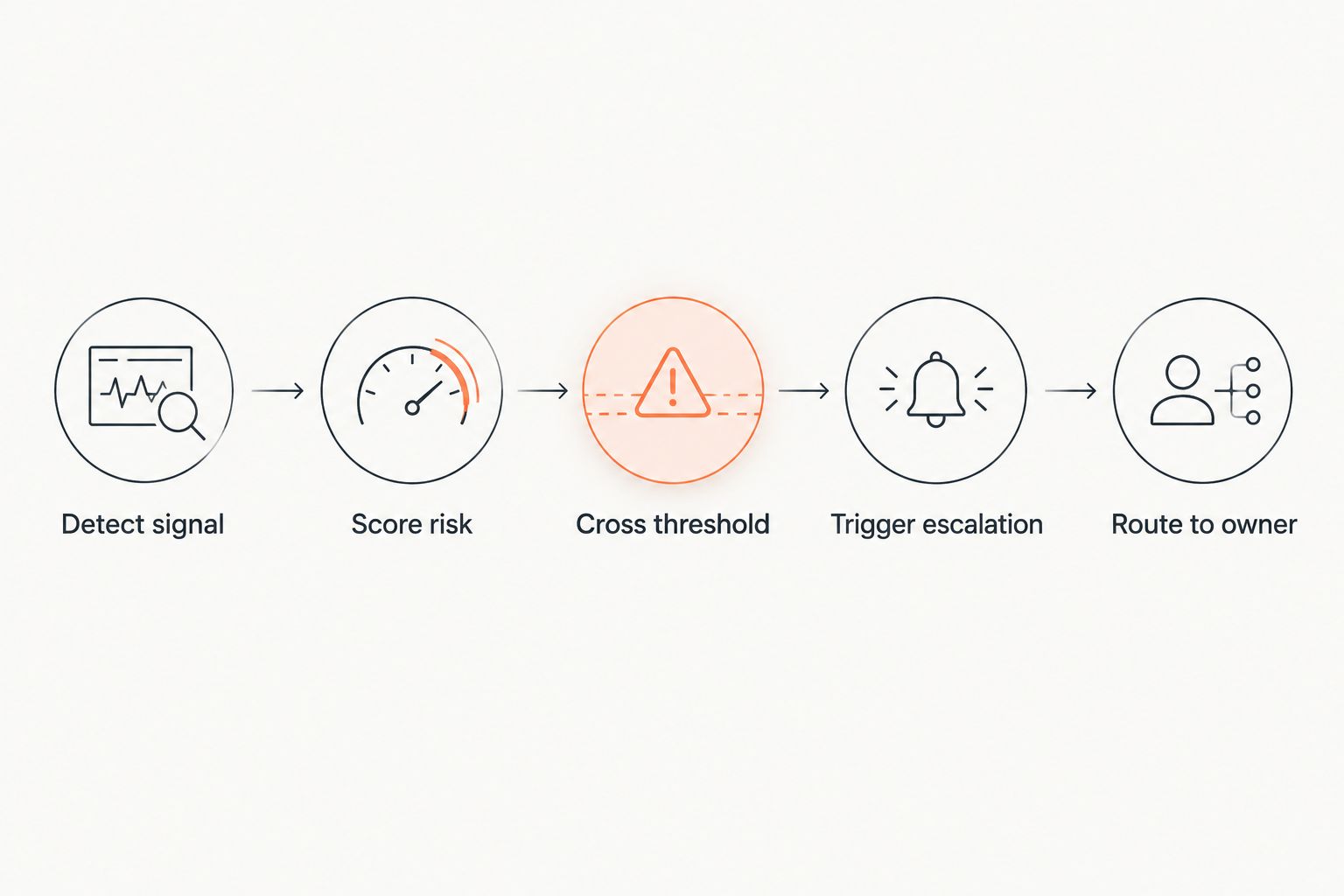
Waiting for a renewal call to find out an account is unhappy costs you the account. Instead of manually scanning usage reports and support tickets every week, set up an automated workflow that scores churn risk continuously and escalates the moment an account crosses a danger threshold — so a human gets involved while there's still time to save the relationship.
- Automatically escalate at-risk accounts by combining usage, support, and payment signals into one churn-risk score.
- Set the escalation trigger at a fixed threshold (not a single bad signal) to avoid false alarms.
- Route escalations to the account owner first, then a CS manager, then leadership as risk climbs.
- Alert fatigue kills adoption faster than a bad model — tune thresholds before rollout, not after.
- Avanti AI Partners builds this as a CRM workflow extension, not a separate app your team has to learn.
Why this matters
Manual account reviews catch churn risk after the damage is done — usually during a quarterly business review, weeks after usage dropped off. By the time a rep notices a client stopped logging in, the client has often already started evaluating alternatives.
An automated escalation workflow closes that gap by watching signals in real time: product usage, ticket volume, satisfaction scores, and payment behavior. When several signals move together, the system flags the account and routes it to a human before the renewal conversation happens under pressure. Avanti AI Partners builds these workflows directly into the CRM and support tools teams already use in 2026, so nobody has to check a separate dashboard.
The goal isn't full automation of customer success — it's making sure the right person sees the right account at the right moment, instead of finding out during a cancellation email.
Before you start
- Admin access to your CRM or support platform (Salesforce, HubSpot, or Zendesk) with permission to create custom fields and workflow rules.
- A defined list of churn signals your team already tracks informally — usage decline, ticket spikes, NPS or CSAT drops, late payments, or approaching renewal dates.
- The gotcha: if you escalate on any single signal (one skipped login, one support ticket), the workflow floods reps with false alarms within the first week and everyone starts ignoring it. Combine signals into one score before you turn escalation on — this is the step teams skip and the reason most churn-alert rollouts get muted by month two.
Set up your churn-risk scoring trigger
- Create a custom field in your CRM called Churn Risk Score (numeric, 0-100). This will hold the combined signal value for each account.
- Map your churn signals to point values. A common starting model: usage drop of 30%+ month over month adds 25 points, a support ticket volume spike adds 15 points, a CSAT or NPS drop below your baseline adds 20 points, and an overdue invoice adds 15 points.
- Set the field to recalculate automatically whenever any linked signal updates — usage data synced from your product, ticket counts from your support tool, and payment status from billing.
- Set your escalation threshold. Most teams start around a score of 65-70 out of 100 and adjust after the first month of data.
Expected result: every account has a live Churn Risk Score visible on its record, updating automatically as signals change, with no manual entry required.
Configure the escalation action
- Build a workflow rule: when Churn Risk Score crosses your threshold, trigger an action.
- Set the action to create a task or case assigned to the account owner, with a due date of 1-2 business days.
- Add a notification to Slack or Microsoft Teams so the escalation doesn't sit unread in an email inbox — this is the single biggest reason escalations get missed.
- Include the top contributing signal in the notification text (e.g., "Usage dropped 34% in 14 days") so the rep knows where to start the conversation without digging through the account history.
Expected result: the moment an account crosses the threshold, the assigned owner gets a task and a chat notification within minutes, not during the next weekly review.
Route the escalation to the right owner
A flat escalation to one person doesn't scale past a handful of accounts. Tier the routing by risk level and account value instead:
| Risk score | Account value | Routes to |
|---|---|---|
| 65-79 | Any | Account owner |
| 80-89 | Standard | Account owner + CS manager |
| 80-89 | High-value | CS manager immediately |
| 90+ | Any | CS manager + leadership |
- Build a second workflow branch that checks account value alongside the risk score.
- Add a CC or additional assignee field for CS managers on anything scoring 80 or above.
- For accounts above a value threshold you set (based on contract size), route straight to a CS manager regardless of score, since the cost of a missed escalation is higher.
Expected result: low-risk accounts stay with the owner, high-value or high-risk accounts get a second set of eyes automatically, and leadership only sees the accounts that genuinely need attention.
Variant: escalate renewal risk before the contract date
The same scoring structure works for renewal risk, not just churn signals. Instead of triggering on a risk score alone, add a second condition: days until renewal date is under 60 AND Churn Risk Score is above 50. This catches accounts that aren't in obvious trouble yet but are trending down heading into a renewal conversation — a lower bar than full churn escalation, but earlier warning. Route these to the account owner only, since they're a heads-up, not a fire drill.
Troubleshooting
- Escalations fire on seasonal usage dips. Add a year-over-year comparison to the usage signal instead of only month-over-month, so a predictable slow season doesn't trip the score.
- Reps say they're getting too many alerts. Raise the threshold by 5-10 points and check the point weighting on your signals — usage-only spikes without a matching support or payment signal are usually the noise source.
- Notifications aren't showing up in Slack or Teams. Confirm the integration between your CRM and your notification channel is still authenticated; these connections expire periodically and silently stop routing.
- Multiple people get the same escalation and nobody owns the follow-up. Set exactly one primary assignee per rule tier and use CC fields for secondary visibility — shared ownership is how escalations get dropped.
- The score doesn't update in real time. Check the sync frequency between your product analytics, support tool, and CRM — most platforms sync on a schedule (hourly or daily), not instantly, which delays the score by that same window.
Customize your workflow
Once escalation is running cleanly, expand it in two directions. First, feed the same risk signals into an AI-driven lead scoring workflow so expansion and renewal opportunities get flagged with the same discipline as risk. Second, if your support team is on Zendesk, tie ticket sentiment directly into the risk score rather than just ticket volume — a single angry ticket carries more signal than three routine ones.
If your customer-facing team runs through HubSpot, the same escalation logic layers onto a connected AI customer service assistant, so ticket data feeds the churn score automatically instead of requiring a separate integration step.
Get this workflow built for your CRM
Avanti AI Partners sets up churn-signal escalation inside the tools your team already uses.
FAQ
What counts as a churn signal for automatic escalation?
Usage decline, support ticket volume spikes, dropping NPS or CSAT scores, and late or missed payments are the most common churn signals used in 2026 escalation workflows. Combining two or more into one score cuts false alarms compared to acting on any single signal.
How do I automatically escalate at-risk accounts without flooding reps with alerts?
Set the escalation trigger on a combined risk score threshold, not a single signal, and start the threshold high (65-70 out of 100) before tuning it down. Alert fatigue, not model accuracy, is the main reason churn-escalation workflows get ignored within the first month.
Which CRM works best for churn-risk scoring and escalation?
Salesforce, HubSpot, and Zendesk all support the custom fields and workflow rules needed to build a churn-risk score and trigger escalations. The right choice depends on which platform already holds your usage, support, and billing data.
Is a single bad support ticket enough to trigger an escalation?
No — a single ticket should not trigger escalation on its own. Combine ticket volume or sentiment with at least one other signal, like usage decline or a CSAT drop, before the workflow fires.
How often should the churn-risk score update?
The score should recalculate whenever a linked signal changes, ideally within the sync frequency of your CRM and support tool, which is typically hourly. Daily updates work for most teams; real-time updates matter most for high-value accounts.
Can this workflow also flag renewal risk, not just active churn?
Yes — add a renewal-date condition (such as under 60 days) alongside a moderate risk-score threshold to catch accounts trending down before renewal, without waiting for full churn-level risk.
Who should get the escalation notification first?
The account owner should get the first escalation for standard accounts; high-value or high-risk accounts should route to a CS manager immediately, with leadership added only at the highest risk tiers.
One last thing
The teams that get the most out of this workflow don't start with a perfect scoring model — they start with a rough one, watch which escalations turned out to be real saves versus false alarms over the first 30 days, and adjust the point weights from there. A churn-risk score tuned on real outcomes after one month of data beats a theoretically perfect model built on day one.