
Employees waste hours every week hunting through Teams channels, scrolling old threads, and pinging colleagues who are out of office for answers that already exist somewhere in the company's files. Instead of letting staff dig through message history and tag people who don't have time to answer, connect Microsoft Teams to an AI knowledge assistant so anyone can ask a question inside a channel and get a sourced answer in seconds.
- Connecting Microsoft Teams to an AI knowledge assistant needs an Entra ID app registration, a bot channel, and a synced knowledge base — plan on 3 to 5 business days.
- The assistant answers questions inside Teams channels and DMs, citing the source document so employees can verify it.
- Connecting Teams before the knowledge base is fully indexed kills adoption in the first week — the bot just answers 'I don't know.'
- Azure client secrets expire on a set schedule; rotate them before they lapse or the bot goes silent with no warning.
- The Teams-to-AI-knowledge-assistant connection is one of the fastest visible wins in a 2026 AI rollout because the interface never changes.
Why this matters
Knowledge sprawl is the quiet cost center inside most companies running on Microsoft 365. Answers live in Teams threads, SharePoint libraries, PDFs attached three months ago, and the heads of employees who've since changed roles. Avanti AI Partners sees the same pattern across 2026 AI rollouts: the fastest visible win isn't a new app, it's connecting an AI knowledge assistant to the tool employees already live in all day.
The technical lift is small — a Teams app registration, a bot channel, and a connector inside the assistant's admin console. Get the order wrong, though, and the bot goes live before the knowledge base is ready, and nobody trusts it again after that first bad answer.
Before you start
- Teams admin or Global admin access in Microsoft Entra ID (formerly Azure Active Directory) — you need this to register an app and grant permissions.
- Admin access to the AI knowledge assistant platform to create the Teams connector and generate API credentials on that side.
- The knowledge base already indexed before you touch Teams. SharePoint sites, Confluence spaces, and shared drives need to sync first. Connect Teams to an empty or half-indexed knowledge base and the bot answers real questions with "I don't know" — employees stop using it inside the first week, and you don't get a second chance to make a first impression.
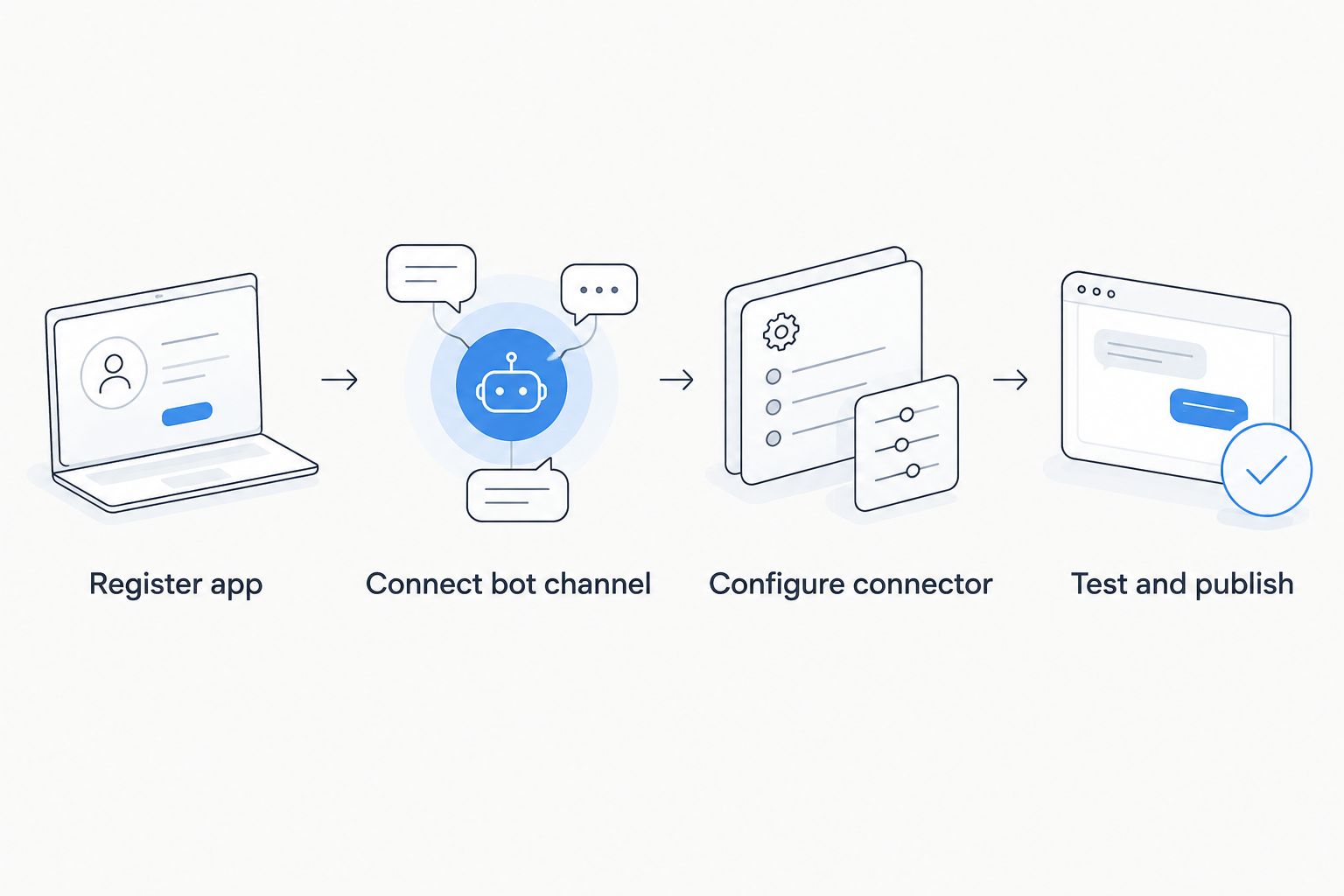
Register the app in Microsoft Entra ID
- Open the Microsoft Entra admin center and go to App registrations.
- Click New registration, name it something recognizable ("Knowledge Assistant Bot" works fine), and set the redirect URI to the callback URL your assistant vendor gives you.
- Under API permissions, add User.Read, ChannelMessage.Read.All, and Chat.Read, then click Grant admin consent for [your org].
- Go to Certificates & secrets, click New client secret, and copy the value immediately — Entra hides it permanently once you navigate away.
- Copy the Application (client) ID and Directory (tenant) ID from the Overview tab.
Expected result: the app registration shows in Entra with an active client ID, tenant ID, and a valid secret ready to hand to the assistant vendor.
Connect the bot channel
- In Azure Bot Service, create a new bot resource (or use the one your assistant vendor provisions automatically).
- Under Channels, click Microsoft Teams, then click Apply.
- Set the Messaging endpoint to the webhook URL the AI knowledge assistant platform provides.
- Save, then check that the Teams channel status reads Running.
Expected result: the bot's Channels page lists Microsoft Teams as an active, running channel — not pending, not disabled.
Configure the connector inside the AI knowledge assistant
- In the assistant's admin console, open Integrations and select Microsoft Teams.
- Paste the Application (client) ID, client secret, and tenant ID from the Entra registration.
- Choose which Teams channels or which teams, org-wide, the assistant should respond in.
- Set the bot's display name — this is the exact name employees will type when they @mention it, so make it something people actually use.
- Save, then send a test question in a connected channel.
Expected result: typing the bot's display name followed by a question returns an answer with a citation link back to the source document.
Variant: notify a channel when the knowledge base updates
Some teams want the reverse flow — a proactive heads-up, not just an on-demand answer.
- In the assistant's admin console, open Notifications and pick the Teams channel to post to.
- Set the trigger to New or updated document indexed.
- Choose a digest frequency — real-time or a daily digest — so the channel doesn't get flooded every time a file syncs.
Expected result: whenever a policy doc or FAQ updates in the knowledge base, the assigned Teams channel gets a short post instead of employees finding out the old way, by accident.
Troubleshooting
- Bot replies "not authorized" or says nothing at all. The API permissions weren't granted admin consent — return to Entra's API permissions page and click Grant admin consent again.
- @mention doesn't return the bot. The Teams app package hasn't been sideloaded or published in the Teams admin center yet — upload the app manifest first.
- Answers cite outdated documents. The knowledge base sync interval is too long; shorten it in the assistant's admin console so files re-index daily instead of weekly.
- The bot goes silent after months of working fine. Azure client secrets expire on a fixed schedule, commonly 6, 12, or 24 months. Rotate the secret in Entra before it lapses and update the connector with the new value.
- Responses lag in busy channels. High message volume can hit the platform's rate limits — check the vendor's throttling settings and narrow the bot's scope to fewer channels if it's an issue.
“If the client secret expires and nobody notices, the bot goes silent — set a calendar reminder before you set up anything else.”
Customize your workflow
Once Teams and the knowledge assistant are talking, don't stop at one channel. The same connector pattern extends to other Microsoft 365 surfaces and to other business systems entirely. If support volume spikes and the same questions keep repeating, the workflow to automatically route support tickets to AI when call volume spikes uses the same underlying logic — an AI system watching a signal and acting on it without a human triggering each step manually.
Customer-facing teams running HubSpot alongside Teams can extend the same idea outward: the guide on how to connect HubSpot to an AI customer service assistant walks through wiring ticket data into an assistant the same way this guide wires Teams into a knowledge base.
Need help wiring this up?
Avanti AI Partners scopes the Teams integration and knowledge base sync end to end.
FAQ
What's the best way to connect Microsoft Teams to an AI knowledge assistant in 2026?
Register an app in Microsoft Entra ID, connect it to the Azure Bot Service's Microsoft Teams channel, then point the assistant's Teams connector at that app's credentials. The knowledge base needs to be fully indexed before you connect Teams, or early answers come back empty.
Do employees need to install anything to use the assistant in Teams?
No. Once the app is registered and the Teams channel is added, employees just @mention the bot's display name inside any connected channel or direct message — there's no separate download.
How long does connecting Teams to an AI knowledge assistant take?
Most IT teams finish the Entra registration, bot channel, and connector setup in 3 to 5 business days in 2026, assuming the knowledge base is already indexed. Waiting on admin consent approvals is the usual delay.
Is a Microsoft Teams AI knowledge assistant integration secure?
Access runs through Microsoft Entra ID's standard OAuth flow with scoped API permissions, so the assistant only reads what it's explicitly granted. Rotating the client secret on schedule matters more for security than any other single step.
Can the AI knowledge assistant post proactively in Teams, not just answer questions?
Yes. Configuring a notification trigger on new or updated documents lets the assistant post a heads-up in a chosen channel whenever the knowledge base changes, instead of only responding on-demand.
What happens if the knowledge base isn't fully indexed before connecting Teams?
The assistant returns 'I don't know' to questions it should handle, and employees stop using it within days. Index the knowledge sources first, then connect Teams.
Is Microsoft Copilot the same thing as a Teams knowledge assistant connector?
No. Microsoft Copilot works across Microsoft 365 apps directly, while a dedicated knowledge assistant connector lets Teams pull from sources outside Microsoft's ecosystem, like Confluence or a ticketing system, with control over which channels it responds in.
What's the biggest reason a Teams AI knowledge assistant integration fails after launch?
An expired client secret is the most common silent failure — the bot simply stops responding with no error message visible to employees. Rotating secrets before they expire prevents most of this.
One last thing
The single biggest predictor of whether a Teams knowledge assistant gets used past week one isn't the AI model behind it — it's the bot's display name. A bot called @assistant-prod-3 gets ignored because nobody remembers to type it; a bot with a short, memorable name gets used daily. Set the display name before you launch, not after adoption stalls.